
Designing the Quiz feature of an educational learning app
Role
Visual and Interaction design
Timeline
March - September 2024
Platform
Desktop App
About Project

I worked on redesigning an educational learning app for a company that provides e-teaching solutions. The app, designed for desktop installation in schools, includes two separate interfaces, one for teachers and one for students, featuring eight main functions.
QUIZ FEATURE
The new feature for the app
Here’s I am going to show you my favorite feature of the app, Quiz. This feature wasn’t available in the previous version, and it was exciting for me because I had the freedom to explore the design more creatively.
Since there was no existing blueprint to follow, I could approach it with a fresh perspective, defining the flow, structure, and visual direction from the ground up.
CREATING THE QUIZ
Teacher prepare the questions for students
I did research on some of popular quiz website platforms to understand how they build the question creation process. In a quiz, teachers should be able to include multiple types of questions and answer formats, making the assessments more dynamic.
The goal was to ensure teachers could create meaningful and engaging questions that truly support student learning.

Gif: Teacher creates a new quiz.
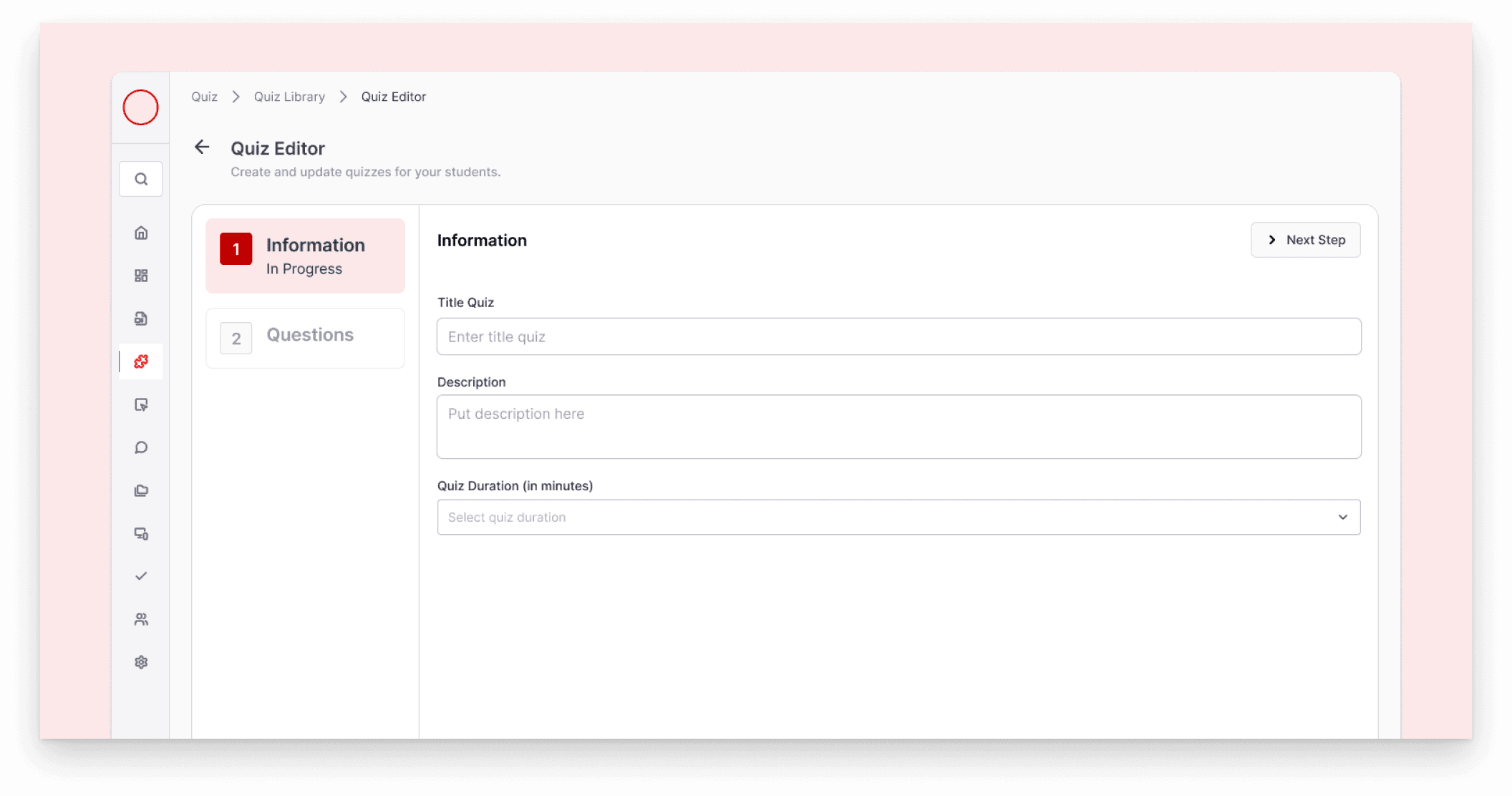
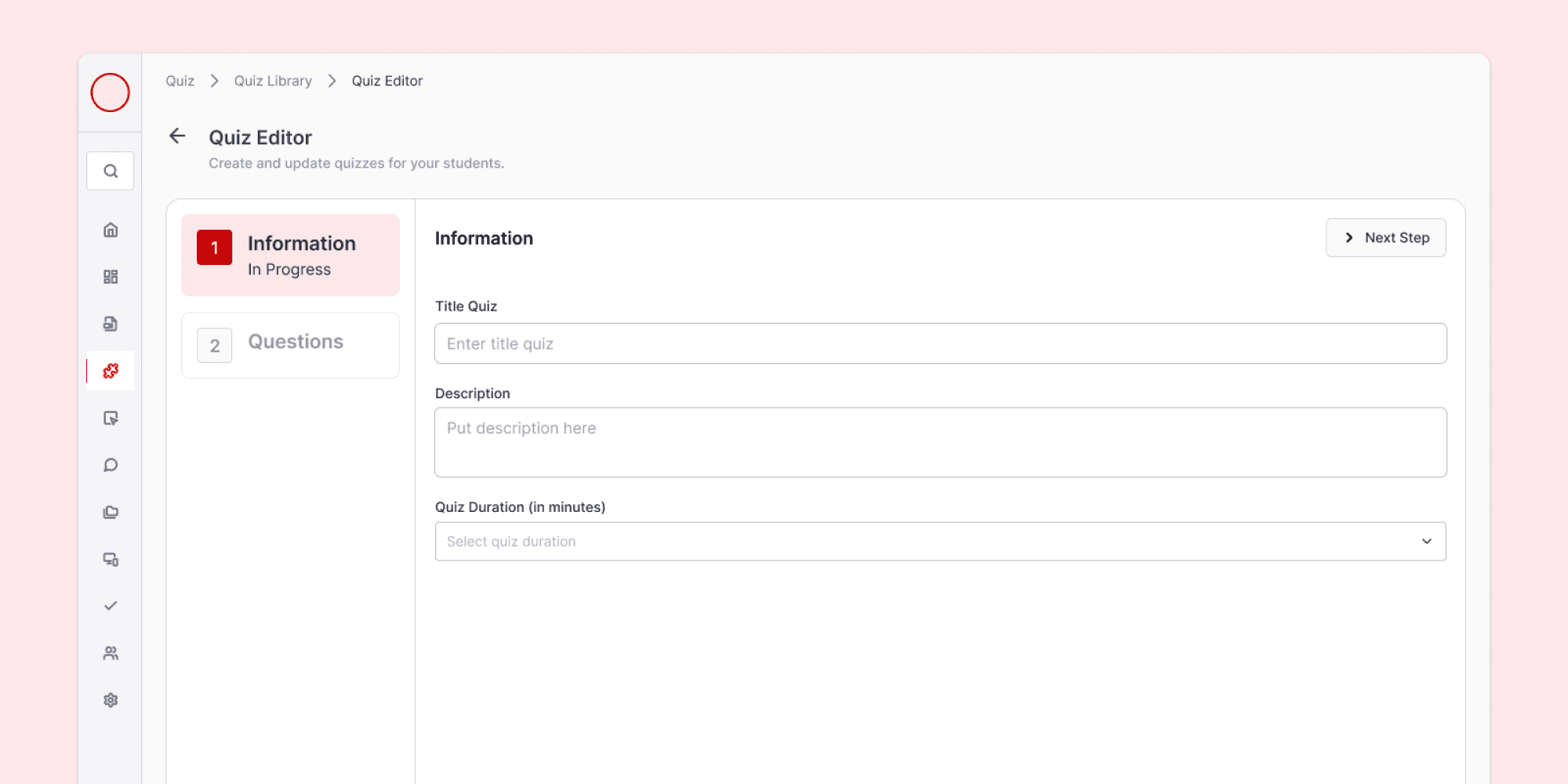
Image: Teacher input the quiz details on this page.
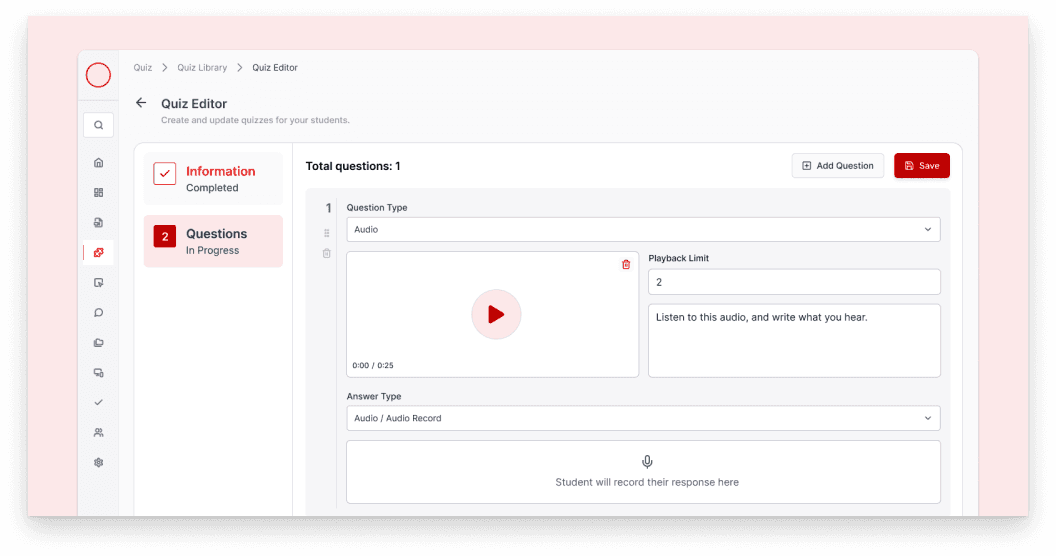
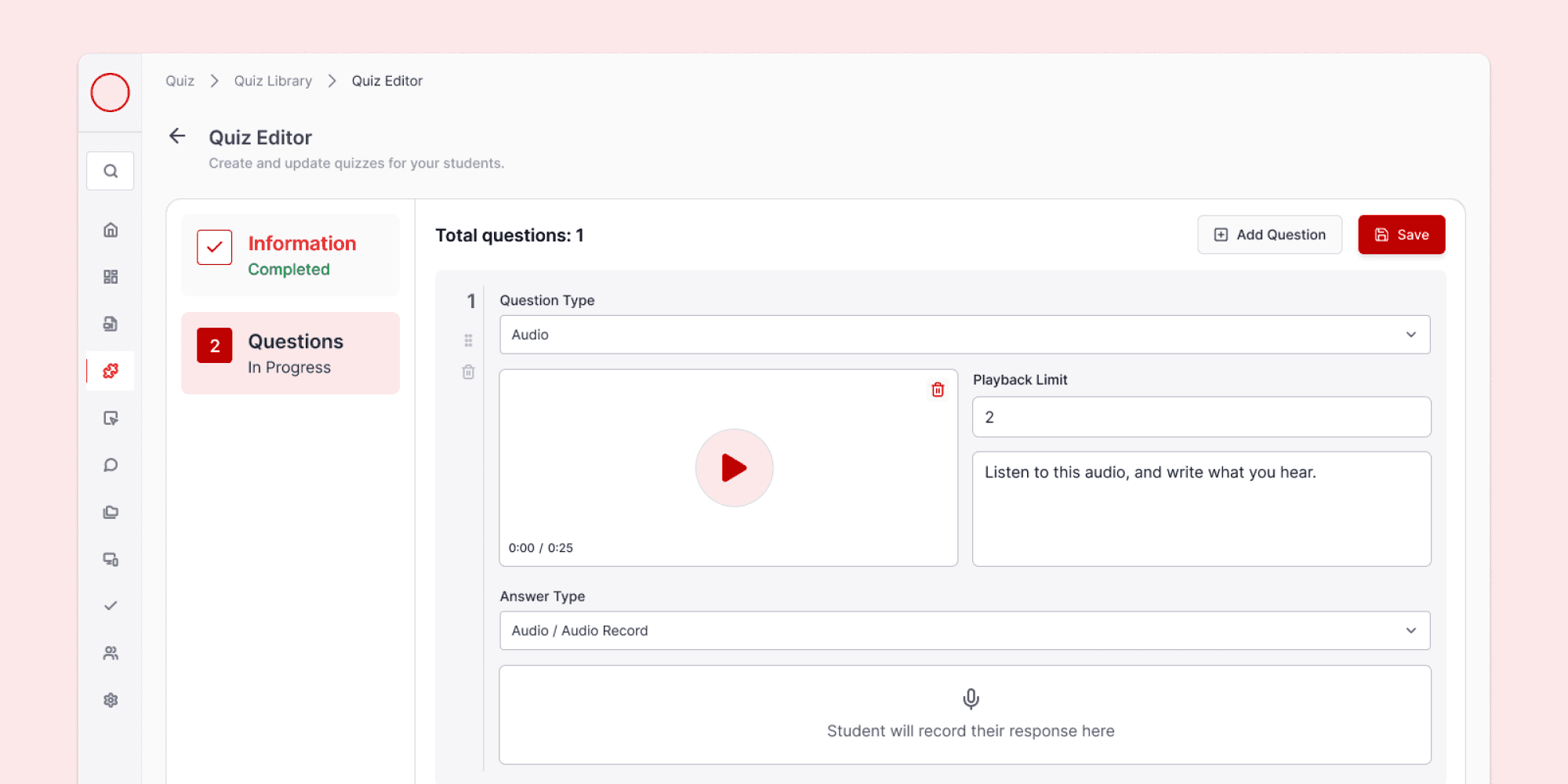
Image: Teacher can add, edit and manage the questions.
IT'S QUIZ TIME
Student perform the quiz on their own screen
Once the teacher starts the quiz, the student's screen will automatically display the quiz page, allowing them to begin working within the given time limit.

Gif: Student do the quiz.
Students receive the same questions prepared by the teacher and can respond using various formats like text, audio, multiple choice, or multiple select.
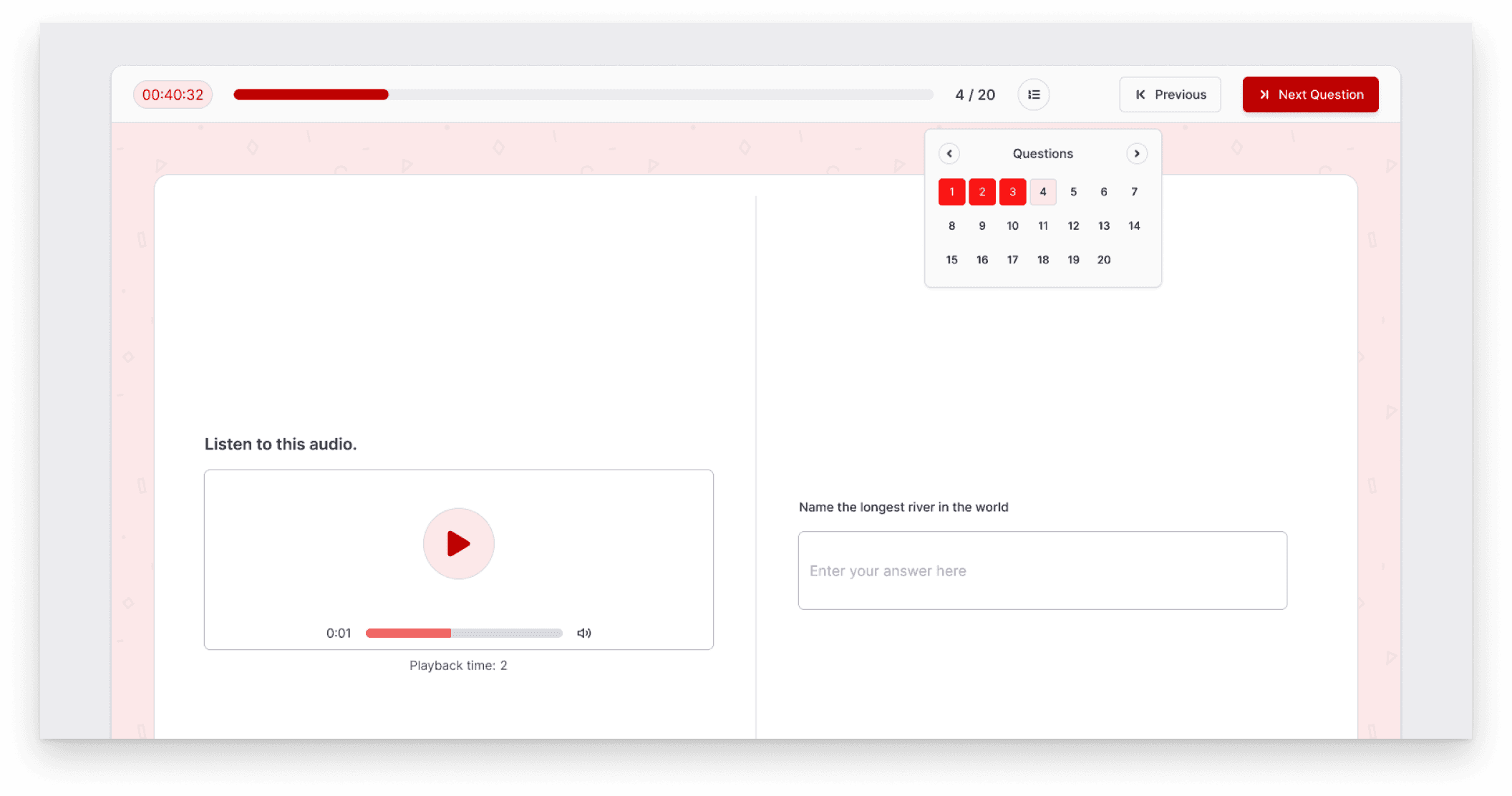
Image: Student can jump to a specific question
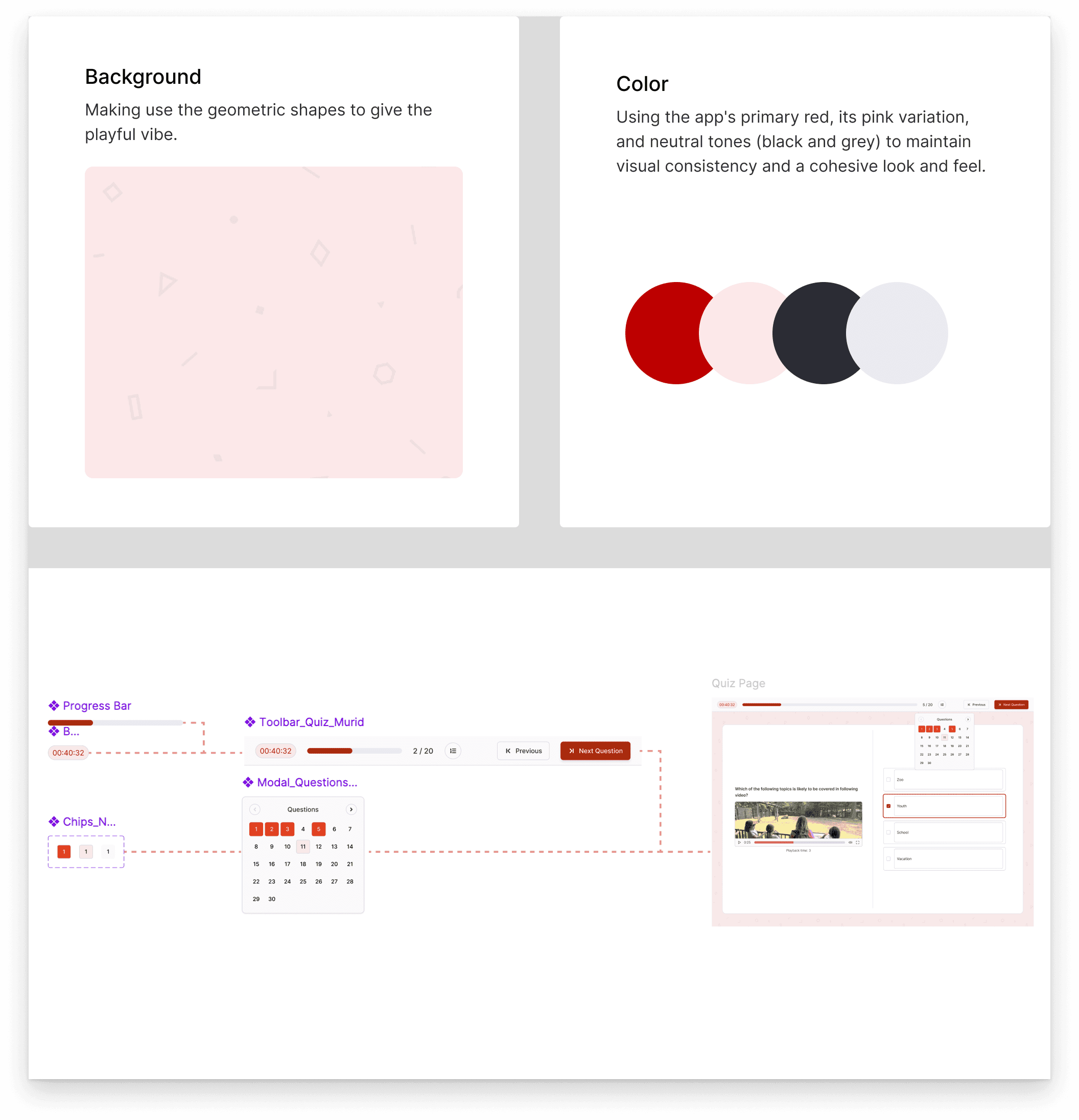
Image: The breakdown of toolbar section in the quiz page.
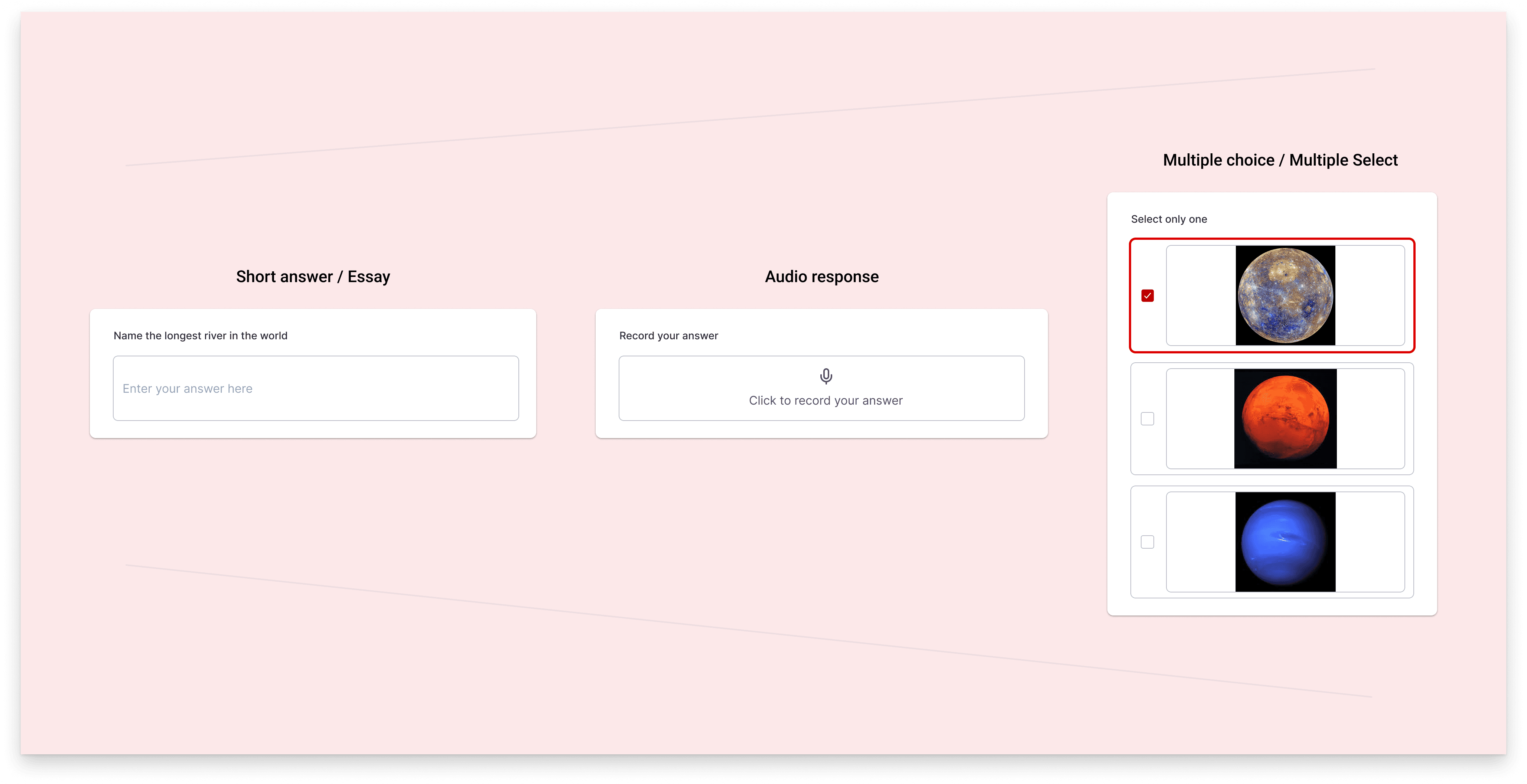
Image: Different variations of the answer type component